Compiling your map
You've finished making your level, how do you test it ingame?
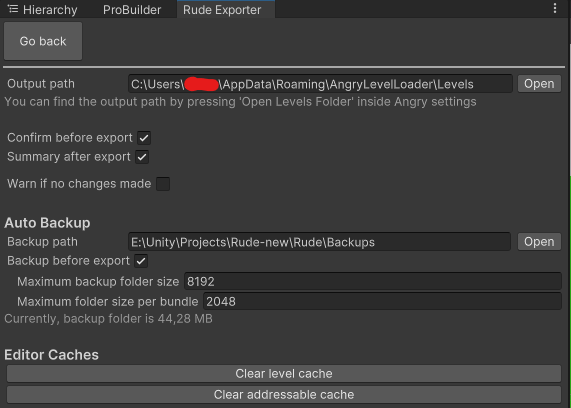
First, open the Rude Exporter in RUDE/Rude Exporter at the topbar. In there, open settings menu(gear icon) and find the Output path field at the top. Open ULTRAKILL with AngryLevelLoader, go to Options/Plugin Config/Angry Level Loader Configure/Settings/Open Levels Folder. You will see the levels directory opened in Explorer. Copy the path and paste it in the Output field. You need to do this only for the first time.
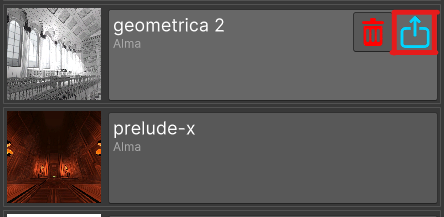
After that you can go back in the bundle menu and press the export button(blue button with a box and an arrow). If you do this for the first time, it will take a while to export. After this, the process of exporting will be faster.